



|
By clicking Subscribe, I agree to receive advertising and other marketing messages from D & H Power-eCommerce Demo under the terms of the Privacy Policy and User Agreement. |
|
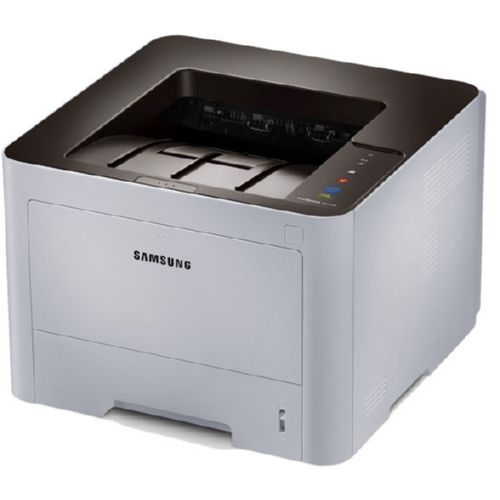
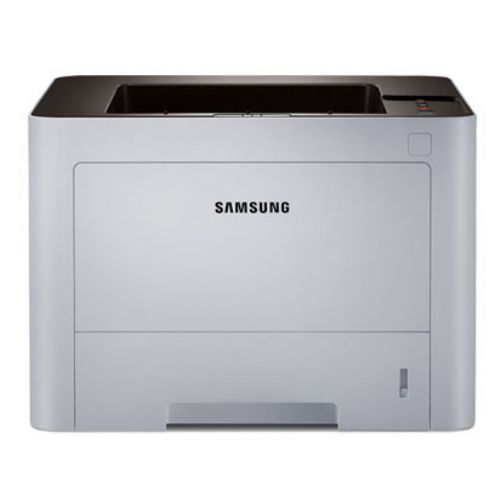
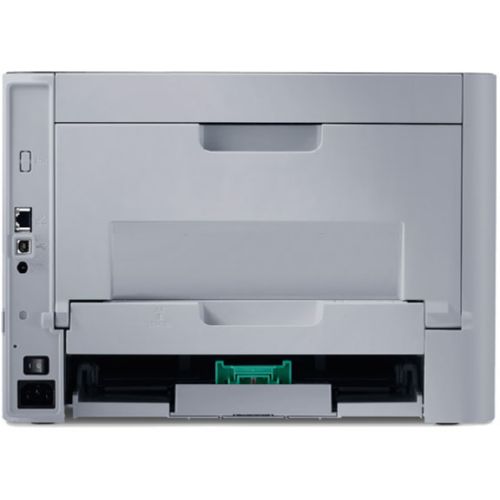
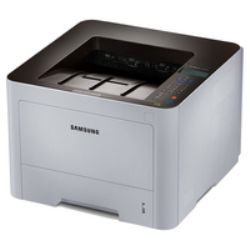
Samsung ProXpress M3320ND
Samsung ProXpress M3320ND. Maximum resolution: 1200 x 1200 DPI Maximum duty cycle: 50000 pages per month Standard printer languages: Epson ESC/P2 PCL 5e PDF 1.7 SPL. Print speed (black normal quality A4/US Letter): 35 ppm Time to first page (black normal): 6.5s. Standard input capacity: 251 sheets Maximum input capacity: 771 sheets. Standard output capacity: 150 sheets. Maximum ISO A-series paper size: A4 Standard tray media types: Bond paper Card stock Labels Plain paper Pre-Printed Recycled paper Thin paper Transparencies ISO A-series sizes (A0...A9): A4 A5 A6
| $194.70 |
Manufacturer:
Samsung
Item:
SL-M3320ND/XAA
Our Part #
SL-M3320ND/XAA
Condition
New
Extended Warrenty
| 1 Year Extended Warrenty | $9.74 |
$194.70EA
Availability
In Stock
Product description
High Speed Printing
The robust ProXpress M3320ND features print speeds of up to 35 ppm. Powered by a Cortex-A5 core processor and 128 MB of memory it delivers unsurpassed performance for business applications. High performance coupled with ease-of-use enables businesses to accelerate document and image processing for increased efficiency.
Higher-Quality Print Output
ReCP technology improves the readability of printed documents by enhancing thin lines and sharpening the edges of fine text. The ProXpress M3320ND delivers sharp solid prints with effective output print resolutions of up to 1200 x 1200 dpi.
Robust Paper Handling
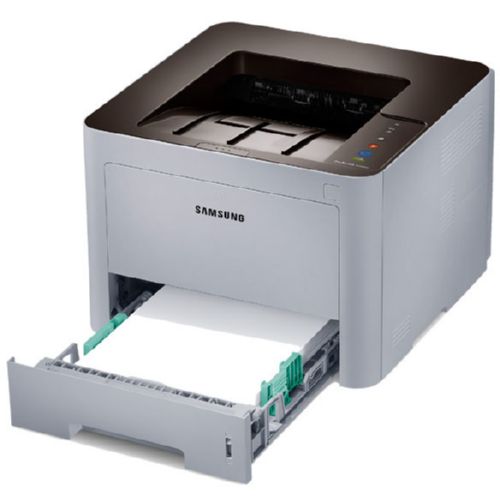
The printers� multipurpose tray supports media of up to 58 lbs. weight which offers more printing choices for professional documents. Labels cards covers and envelopes can be printed using the multi-purpose tray with ease. This ability virtually eliminates the time it takes to feed sheets one at a time.
Built-in Duplex Printing
The ProXpress M3320ND features standard automatic duplex. Users can print on both sides of the page with ease saving the company on costs and reducing the impact on the environment.
One Touch Eco Button
Businesses can lower toner and paper usage with the One Touch Eco Button. The One Touch Eco Button automatically activates 2-up printing (two pages on the same side) and duplex printing (printing on both sides) as well skipping blank pages and printing in Toner Save Mode. The default eco settings can be adjusted using Easy Printer Manager and administrators can even enforce some or all of these rules in order to save your business money.
Easy Eco Driver
The Easy Eco Driver software granted the 2012 Outstanding Achievement in Innovation award from Buyers Laboratory (BLI) can save users up to 20 percent on toner. Users have the option of removing images converting them from bitmap to sketch removing emboldened text and a bevy of other features all designed to reduce toner wasted on unnecessary prints leading to even more savings.
Central Print Usage Control to Save More Resources
Central Print Usage Control activated through the SyncThru Admin Job Accounting feature enables managers to assign users to specific printers as well as assigning individual users or workgroups quotas. Tight usage controls as well as automatic notifications help business control costs and drive down spending.
More Laser Toner Cartridge Options More Choices for Cost Reduction
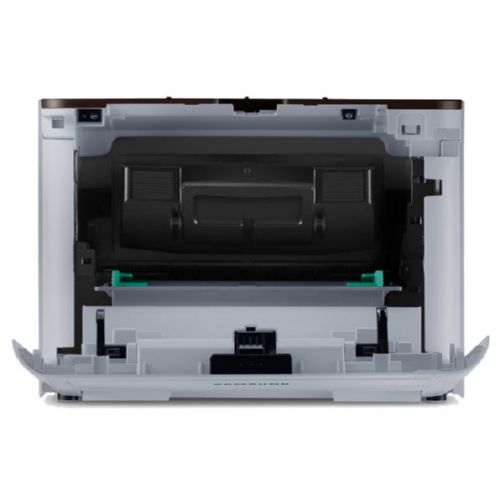
The ProXpress M3320ND employs an all-in-one toner system meaning that the toner and imaging unit are integrated into a single cartridge for easy changing and easy stocking. It also both a standard-yield laser toner cartridges that typically yield 3000 standard pages and a high yield laser toner cartridges that can yield up to 5000 standard pages which meets every business�s needs for reducing spending. Whether you are looking for a lower up-front cost or a lower overall cost per page there�s a cartridge suitable for your needs.
Convenient Mobile Printing Optimized for Business
With the Samsung Mobile Print app you and your employees can easily print from their mobile devices at no additional cost. Users do not need to install a new driver or configure network settings. By simply downloading the Mobile Print app from the Google Play store for Android or the App Store for iOS and connecting to the Wi-Fi network on which the ProXpress M3320ND is shared users can begin printing with ease. With Samsung Mobile Print you can print not only standard images and PDFs but also the full range of Microsoft Office documents such as Word PowerPoint and Excel as well as photos emails and even documents stored in the cloud such as Google Drive. What�s more with the built-in Wi-Fi Direct users can connect directly to the printer without the need for a separate access point making it even easier for users to walk up and print.
Google Cloud Print Ready
The ProXpress M3320ND also supports Google Cloud Print which allows users to print remotely using their Google account. Emails photos PDF files and SNS messages such as Facebook and Twitter posts can be printed faxed or shared. Google Cloud Print works on smartphones tablets notebooks PCs Chromebooks and other web-connected devices.
Enterprise-Level Document Security
Businesses produce and print numerous official documents including confidential information which require a high degree of security. The ProXpress M3320ND offers greater control from user and network access to document management and routing with Samsung SyncThru Admin at the enterprise security level.
Easy Printer Manager
The Easy Printer Manager helps companies remotely control settings such as the One Touch Eco Button and easily access notifications and device status from one convenient location. Multiple devices can be monitored and managed using the Easy Printer Manager. Businesses can also monitor printer status such as error messages including paper empty toner empty and paper jam alerts.
Specifications
Certification
EPEAT Bronze
Color
N
Color of product
Black White
Custom media length
216 - 355.6
Custom media width
76.2 - 127
Depth
366
Duplex Printing
Y
Energy Star certified
Y
Ethernet LAN connection
Y
Height
262
Internal memory
128
ISO A-series sizes (A0...A9)
A4 A5 A6
Linux operating systems supported
Y
Mac operating systems supported
Mac OS X 10.5 Leopard Mac OS X 10.6 Snow Leopard Mac OS X 10.7 Lion Mac OS X 10.8 Mountain Lion
Maximum duty cycle
50000
Maximum input capacity
771
Maximum ISO A-series paper size
A4
Maximum print area
Legal (216 x 356 mm)
Maximum resolution
1200 x 1200
Mobile printing technologies
Samsung Mobile Print Google Cloud Print
Network Ready
Y
Non-ISO print media sizes
Legal
Number of print cartridges
1
Package depth
450
Package height
404
Package weight
11750
Package width
450
Power consumption (PowerSave)
1.1
Power consumption (typical)
700
Power LED
Y
Print noise level
55
Print speed (black normal quality A4/US Letter)
35
Print technology
LED
Printing colors
Black
Processor frequency
600
Server operating systems supported
Windows Server 2003 Windows Server 2008 Windows Server 2008 R2
Standard input capacity
251
Standard interfaces
Ethernet USB 2.0
Standard output capacity
150
Standard printer languages
Epson ESC/P2 PCL 5e PDF 1.7 SPL
Standard tray media types
Bond paper Card stock Labels Plain paper Pre-Printed Recycled paper Thin paper Transparencies
Time to first page (black normal)
6.5
USB 2.0 ports quantity
1
Weight
9840
Wi-Fi
N
Width
366
Windows operating systems supported
Windows 7 Home Basic Windows 7 Home Basic x64 Windows 7 Home Premium Windows 7 Home Premium x64 Windows 7 Professional Windows 7 Professional x64 Windows 7 Starter Windows 7 Starter x64 Windows 7 Ultimate Windows 7 Ultimate x64 Windows Vista Business Windows Vista Business x64 Windows Vista Enterprise Windows Vista Enterprise x64 Windows Vista Home Basic Windows Vista Home Basic x64 Windows Vista Home Premium Windows Vista Home Premium x64 Windows Vista Ultimate Windows Vista Ultimate x64 Windows XP Home Windows XP Home x64 Windows XP Professional Windows XP Professional x64