

|
By clicking Subscribe, I agree to receive advertising and other marketing messages from D & H Power-eCommerce Demo under the terms of the Privacy Policy and User Agreement. |
|
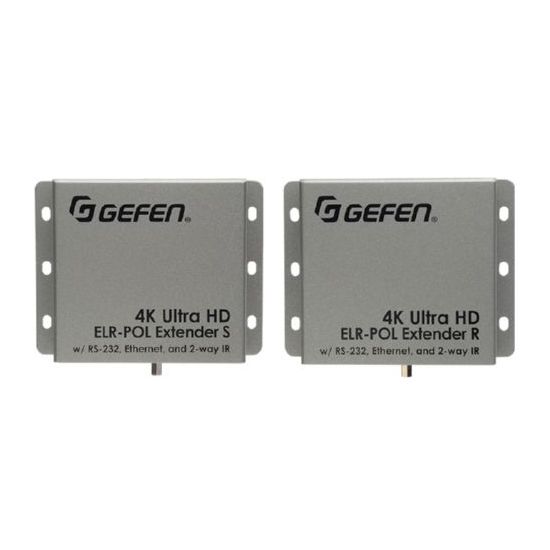
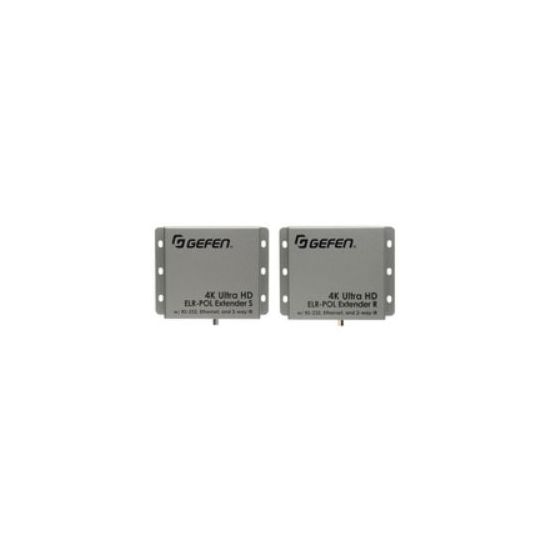
Gefen EXT-UHD-CAT5-ELRPOL audio/video extender
Gefen EXT-UHD-CAT5-ELRPOL. AC input voltage: 24V Power consumption (typical): 10W. Receiver dimensions (WxDxH): 4.33 x 3.35 x 1.02" (110 x 85 x 26 mm) Receiver weight: 7.05 oz (200g) Transmitter dimensions (WxDxH): 4.33 x 3.35 x 1.02" (110 x 85 x 26 mm). Package weight: 49.4 oz (1.4 kg)
| $677.98 |
Manufacturer:
GEFEN
Item:
EXT-UHD-CAT5-ELRPOL
Our Part #
EXT-UHD-CAT5-ELRPOL
Condition
New
Extended Warrenty
| 1 Year Extended Warrenty | $33.90 |
$677.98EA
Availability
In Stock
Product description
The Gefen 4K Ultra HD ELR-POL Extender uses Gefen's implementation of the HDBaseT� technology to extend HDMI up to 495 feet (150 meters) using one CAT-5e cable. Resolutions up to 4K Ultra HD with 7.1 channels of HBR (High Bit Rate) lossless digital audio are supported. This product provides Ethernet RS-232 and 2-way IR extension between the Sender and the Receiver units making 10/100BaseT wired Ethernet connection available at the remote location without the need to run a separate cable. It also allows the transfer of IR commands and RS-232 communications between two remote locations. RS-232 and Bi-Directional IR can be used to control A/V sources placed near the Sender unit and to send automation commands to the display or another device placed near the Receiver unit. Gefen's Bi-Directional POL (Power Over Line) technology powers the Sender or the Receiver unit using the same cable that extends the HDMI signal. Only one of the two units needs a power supply. This feature simplifies installation.
How It Works
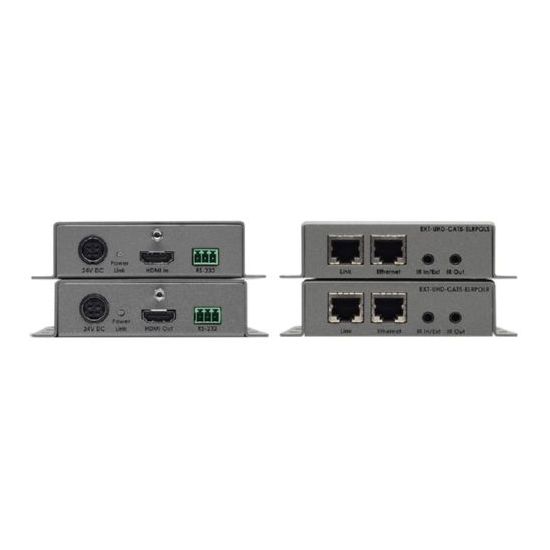
The Sender unit is placed near the source and the Receiver unit near the Display. Connect the supplied locking HDMI cable between the Sender unit and the source. Connect an HDMI cable between the Receiver unit and the display. Connect an RS-232 automation device to the Sender unit using the included Phoenix-to-female DB-9 cable. Connect the Receiver unit to an RS-232-controlled device (such as the display) using the included Phoenix-to-male DB-9cable. To send an IR control signal from the viewing location to the source unit connect the IR output from an automation control device or the included Gefen EXT-RMT-EXTIRN IR Extender to the IR In/Ext port on the Receiver and connect an IR Emitter to the IR Out port on the Sender unit and attach it to the IR Sensor window of the source. To control devices at the viewing location (such as the display) via IR from the source side use the IR In/Ext port on the Sender side and the IR Out connection on the Receiver side. Connect the Sender and the Receiver units together using a CAT-5e or better cable. Connect the locking power supply to either the Sender or the Receiver unit and plug it into an electrical outlet. Only one of the units needs an external power supply. The other unit will be powered through the CAT-5 cable. Power up all associated equipment.
Specifications
AC input voltage
24
Audio input
2
Audio Output
2
Bandwidth
300
Color of product
Grey
DC-in jack
Y
HDMI in
1
HDMI out
1
Maximum resolution
3840 x 2160
Operating temperature range (T-T)
0 - 45
Package weight
1400
Power consumption (typical)
10
Receiver dimensions (WxDxH)
110 x 85 x 26
Receiver weight
200
Relative humidity
0 - 95
RJ-45 input ports
2
RJ-45 output ports
2
RS-232 input ports
1
RS-232 output ports
1
Storage temperature range (T-T)
-20 - 85
Supported video modes
1080p
Transmitter dimensions (WxDxH)
110 x 85 x 26
Transmitter weight
200
Type
Transmitter&receiver