




|
By clicking Subscribe, I agree to receive advertising and other marketing messages from D & H Power-eCommerce Demo under the terms of the Privacy Policy and User Agreement. |
|
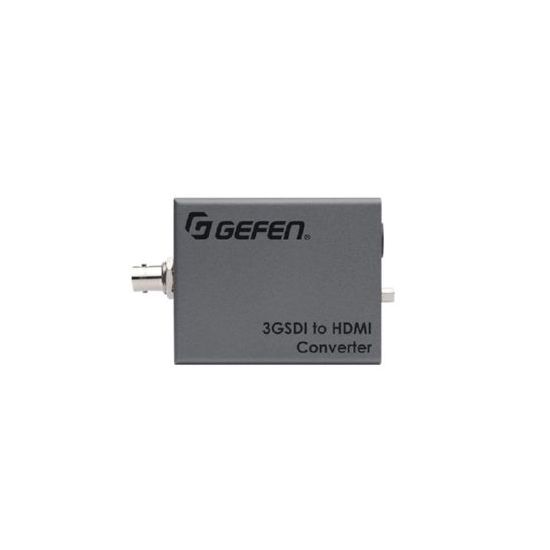
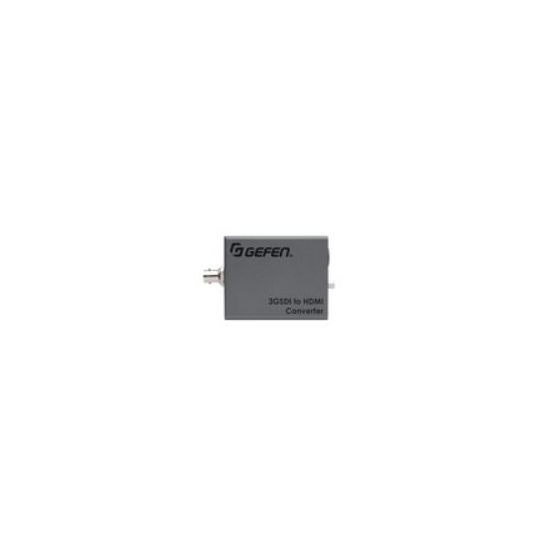
Gefen EXT-3G-HD-C video converter
Gefen EXT-3G-HD-C. Color of product: Grey. Width: 2.91" (7.4 cm) Depth: 2.32" (5.9 cm) Height: 1.18" (3 cm). Input voltage: 12V
| $304.00 |
Manufacturer:
GEFEN
Item:
EXT-3G-HD-C
Our Part #
EXT-3G-HD-C
Condition
New
Extended Warrenty
| 1 Year Extended Warrenty | $15.20 |
$304.00EA
Availability
In Stock
Product description
Use an SDI source with an HDMI display or downstream equipment
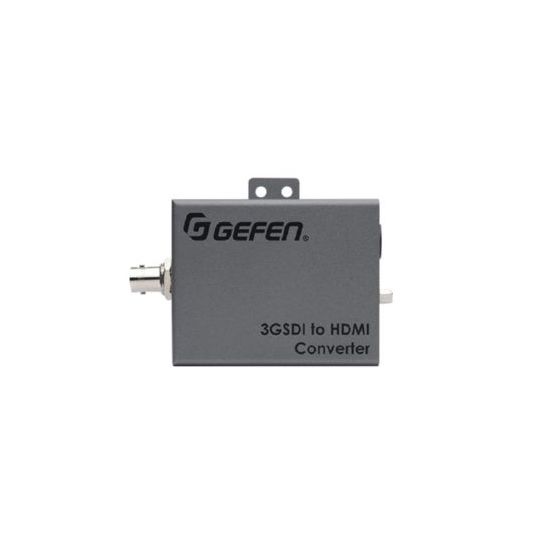
The Gefen EXT-3G-HD-C converts audio and video from SDI to HDMI format at resolutions up to 1080p Full HD 3G-SDI single link HD-SDI and audio formats up to 8 channels of LPCM are supported. This product is fully compatible with the Gefen Syner-G� software suite. The Gefen Syner-G� is a powerful set of software tools specifically designed to help discover configure/customize manage monitor and upgrade Gefen products. The Gefen EXT-3G-HD-C's compact enclosure while light enough to be held in place using double sided Velcro� tape features an ISO standard 1/4-20 attachment provision as well as a detachable surface-mounting bracket. This along with a flexible power input circuitry capable of accepting a wide range of DC voltages and a locking power supply connector make the EXT-3G-HD-C ideal for cutting edge mobile A/V applications as well as high performance fixed installations.
How It Works
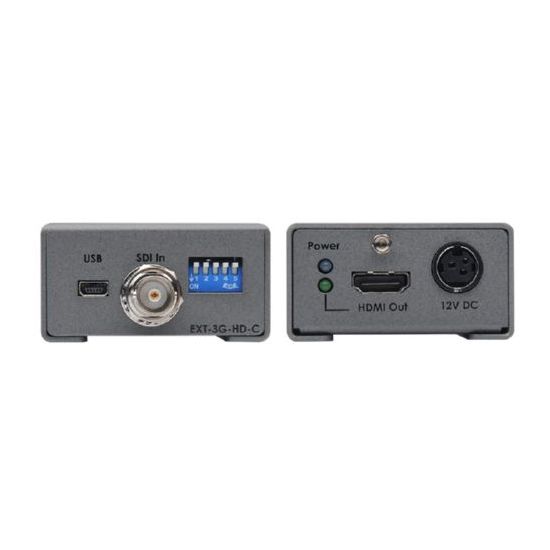
This product can be installed on camera gear via an industry-standard 1/4-20 attachment thread located on the bottom of the unit. It can also be surface-mounted using the included surface mounting bracket. The EXT-3G-HD-C is light and compact enough to be held in place using Velcro� if your particular installation does not allow for the two preferred methods of installation described above. Set the DIP switches as necessary. Connect an SDI cable between the input of the EXT-3G-HD-C and an SDI source. Connect the HDMI output of the Gefen converter to an HDMI display or other downstream equipment using a Gefen locking HDMI cable. Connect the included 12V DC power supply to the 3GSDI to HDMI Converter's power supply jack and to an available electrical outlet. To remove the power supply plug from the unit disengage the lock by pulling back on its plastic sleeve. The power LED indicator will glow in blue to indicate that the unit is powered on. The HDMI Out LED indicator will glow in green to indicate that an active HDMI sink is present. Use the USB Mini-B port with Gefen Syner-G� software suite for performing firmware updates. See the user manual for details.
Specifications
Color of product
Grey
Depth
59
Height
30
Host interface
SDI
Input voltage
12
Operating relative humidity range
5 - 90
Operating temperature range (T-T)
0 - 50
Output interface
HDMI
Storage relative humidity range
0 - 95
Storage temperature range (T-T)
-20 - 85
Supported video modes
1080p
Weight
150
Width
74